Open Source and Free! Google Targets Programming Agents.
Google has launched Gemini CLI, allowing you to access Gemini directly from your terminal, offering what it claims is the “highest free tier in the industry”:
- Gemini 2.5 Pro with a 1 million context window
- Up to 60 model requests per minute
- A daily cap of 1,000 requests
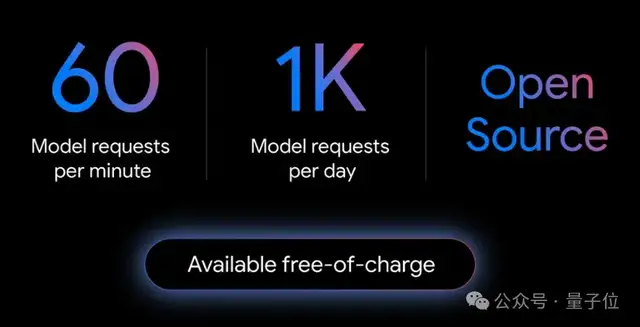
The official announcement also emphasized a key point:
While Gemini CLI is powerful for coding, it’s not limited to programming tasks.
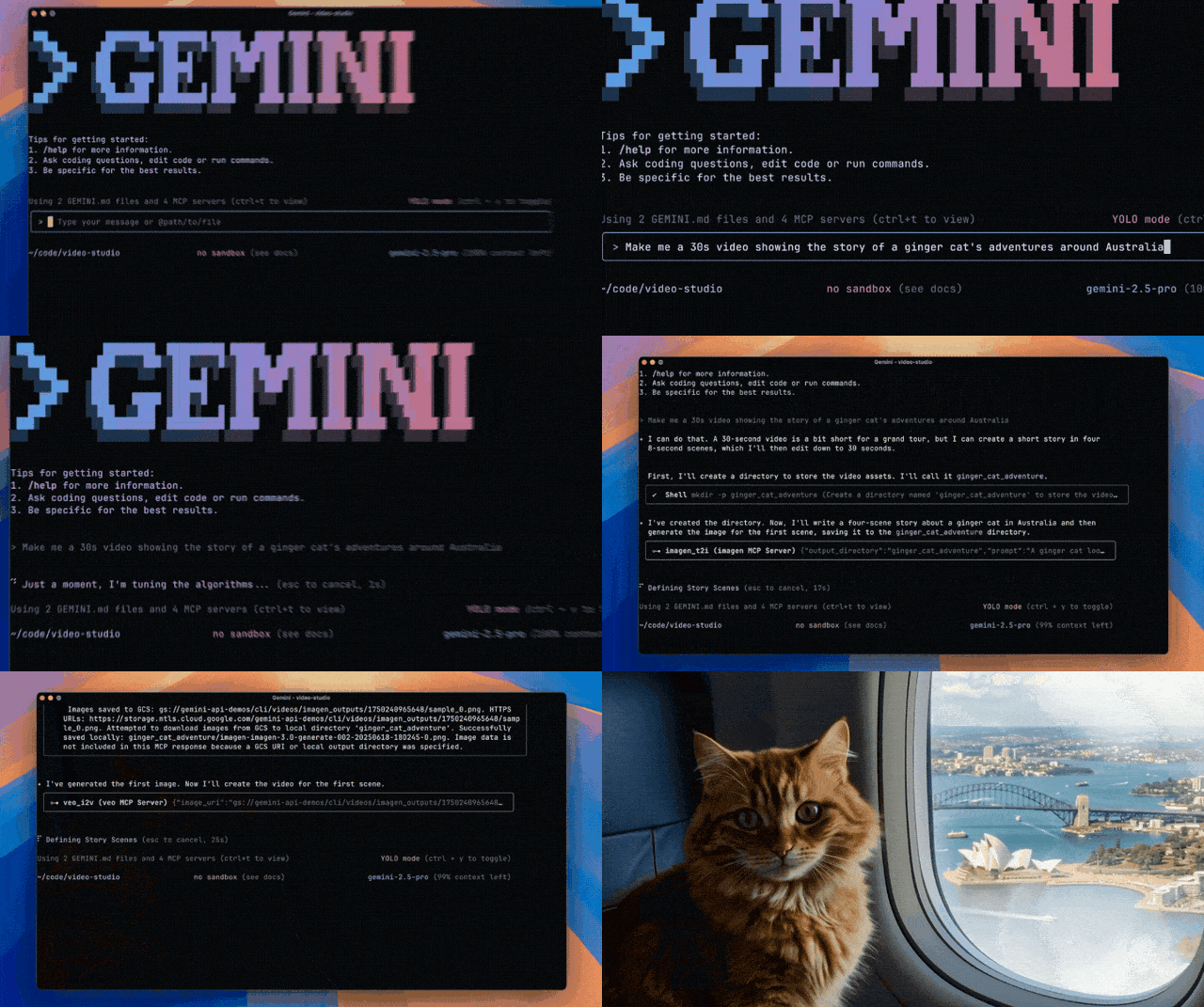
You can invoke Veo and Imagen to generate videos directly from the command line—it takes just one sentence:
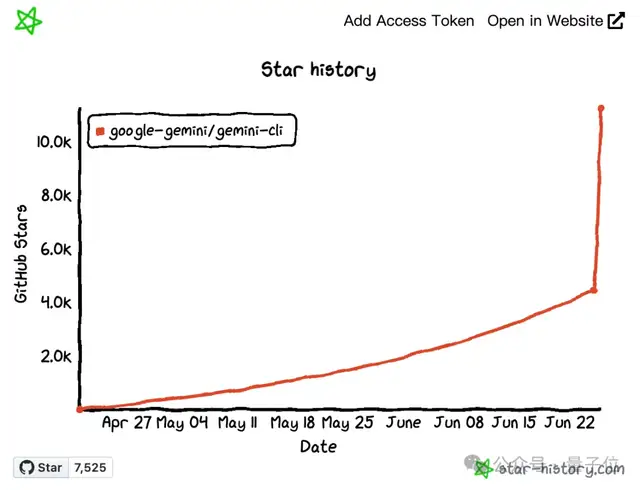
The news sparked immediate discussion, with the GitHub repository stars skyrocketing to 10.8k overnight.
Some netizens even declared RIP for Cursor.

For more direct competitors like Claude Code and OpenAI’s Codex CLI, the response was simple: “Free” trumps all.


In short, the tech giant Google is showing off its deep pockets with a significant investment.

Using Gemini in the Command Line
Let’s look at the details of Gemini CLI.
According to the official introduction, its capabilities cover code understanding, file operations, command execution, and dynamic troubleshooting.
Simply put, with Gemini CLI, users can use natural language in the command line to instruct the Gemini model to write code and debug.
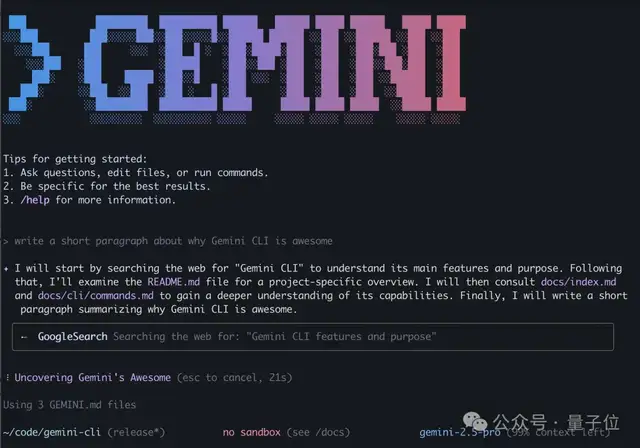
More specific application examples include coding features:
- Supports a 1 million context window, enabling querying and editing of large codebases.
- Integrates with GitHub to support automated operational tasks, such as querying pull requests and managing code branches.
Tool calling capabilities include:
- Multimodal support allows generating apps directly from PDFs or sketches.
- Supports MCP (Model Context Protocol), enabling image and video generation using Imagen, Veo, Lyria, etc.
- Allows the use of Google Search.
User tests also show Gemini CLI’s performance in parallel processing:
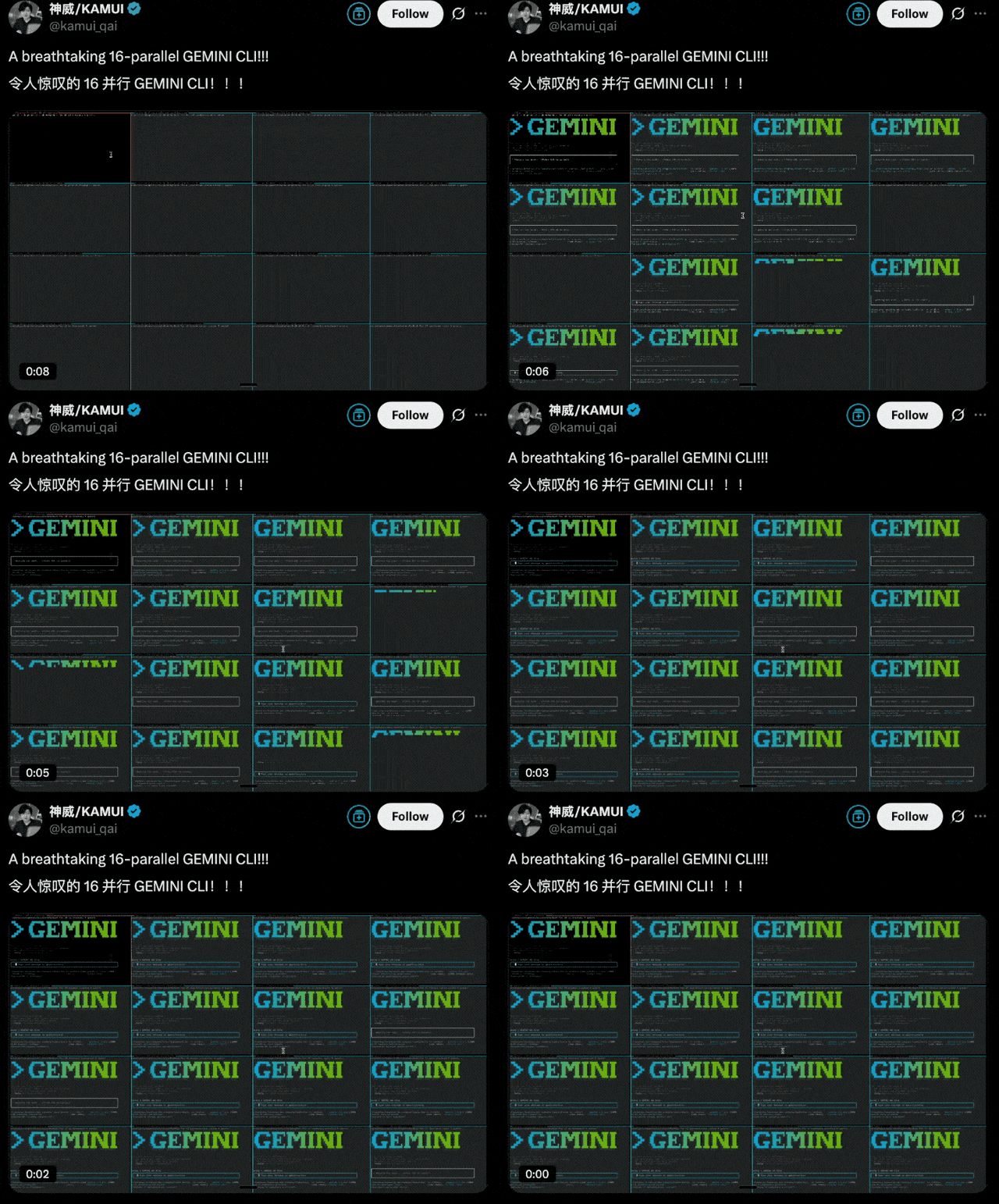
Additionally, Gemini CLI shares technology with Google’s AI coding assistant, Gemini Code Assist.
Regarding the open-source license, Gemini CLI follows the Apache 2.0 license.
Quick Start Guide
Before installing Gemini CLI, ensure that Node.js version 18 or higher is installed.
The installation command is:
npx https://github.com/google-gemini/gemini-cliOr alternatively:
npm install -g @google/gemini-cli
gemini
You will also need to log in with a Google account to access the free tier.
If you need specific models or higher usage limits, you must apply for an API key.
export GEMINI_API_KEY="YOUR_API_KEY"For those wanting to try it out, the official site provides some prompt examples.
For example, automating workflows:
Make me a slide deck showing the git history from the last 7 days, grouped by feature and team member.
More examples can be found in the GitHub repository.
So, shall we get started?

Open Source Link:
https://github.com/google-gemini/gemini-cli
References
https://blog.google/technology/developers/introducing-gemini-cli-open-source-ai-agent/
— End —