By David Kowalski, Developer Tools & Agents Editor
For most of 2024 and 2025, my workflow with coding agents looked the same: open a thread, paste context, read the diff, type the next instruction, repeat until I got tired or the model drifted. That worked until the tasks got repetitive—dependency triage, flaky-test hunts, doc sync after API changes. I was the bottleneck, not the model.
In early 2026, a cluster of posts from practitioners like Addy Osmani, Peter Steinberger, and Anthropic’s Boris Cherny gave a name to what I was groping toward: loop engineering. The idea is simple to state and hard to do well: stop being the person who prompts the agent, and start designing the system that prompts it—on a schedule, against a goal, with verification that the agent cannot easily fake.
This article is my field guide. I am not selling a framework; I am documenting what I have tested, what failed, and what I would recommend if you are trying to pass a real code review rather than win a demo.
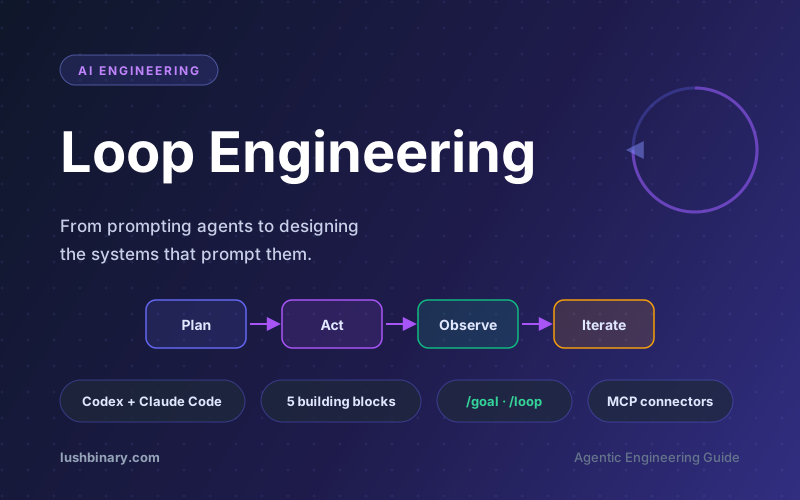
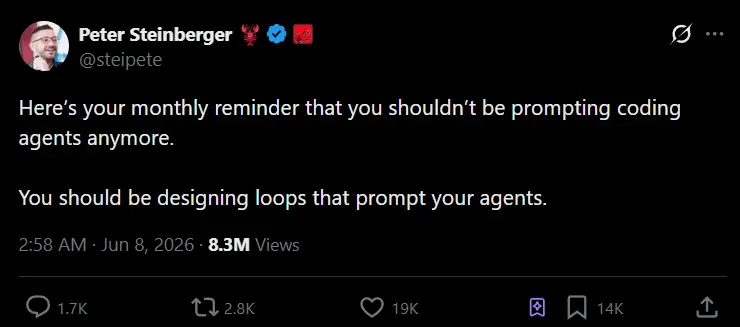
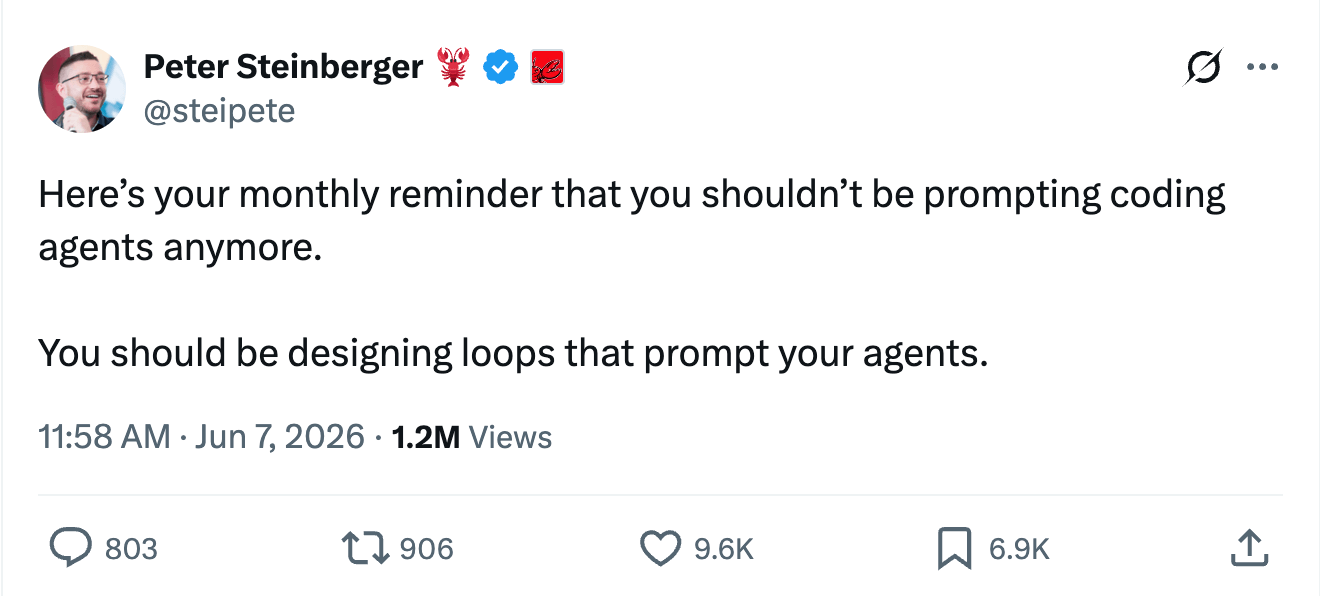
What loop engineering actually means
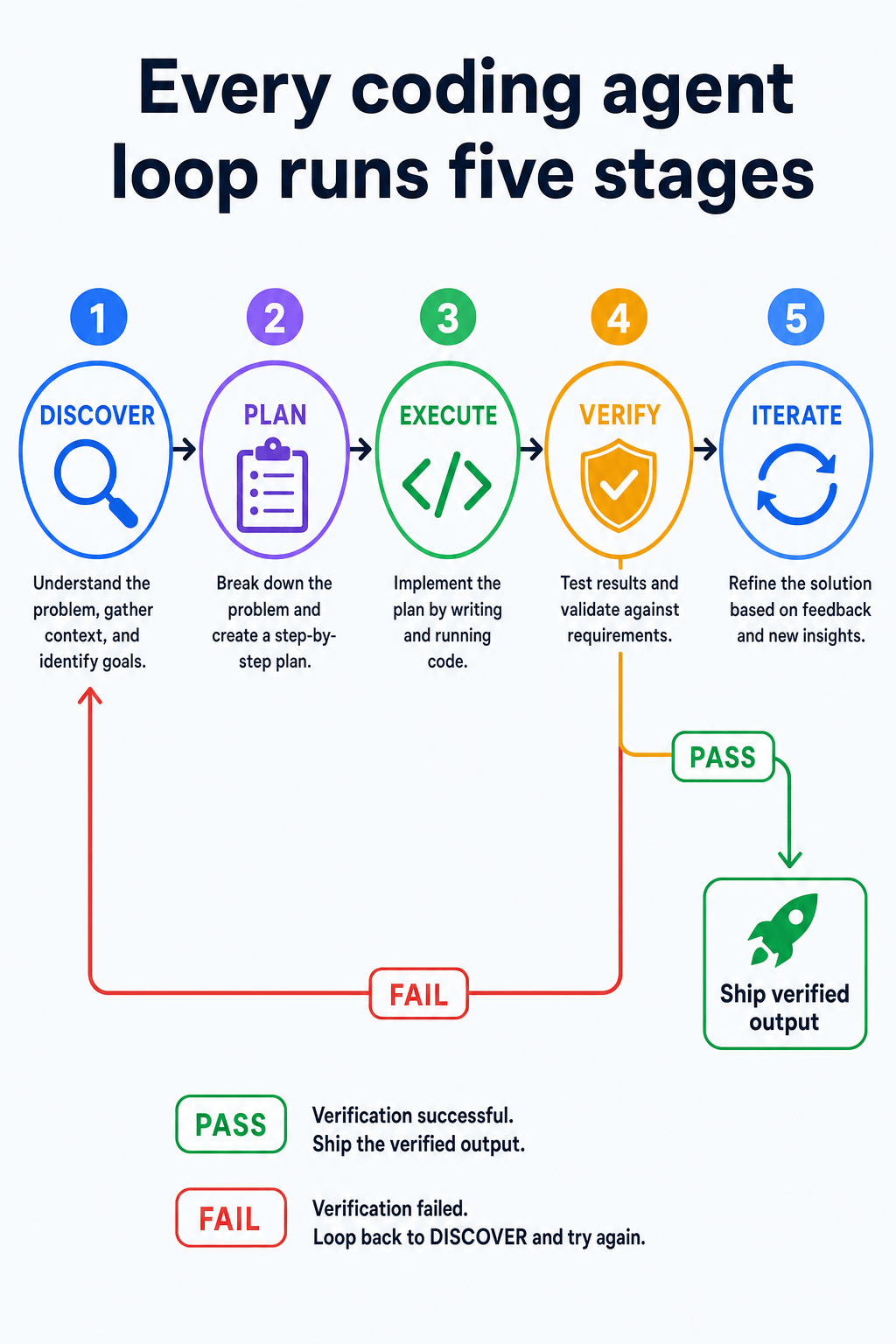
A loop is a recursive goal: you define purpose and “done,” then let a harness iterate until an external signal says stop. The agent still runs its inner perceive–reason–act cycle on every turn. Loop engineering sits above that inner cycle. You design the outer loop that:
- Discovers work (CI failures, open issues, stale docs).
- Assigns it to an agent or sub-agent.
- Observes the result (tests, linters, diffs, logs).
- Records state on disk so the next run does not start from zero.
- Decides whether to continue, escalate to you, or archive quietly.
I think the mental shift matters more than any single tool flag. Prompt engineering optimizes one turn. Context engineering optimizes what fits in one window. Loop engineering optimizes who decides the next turn and how you know the job is real.
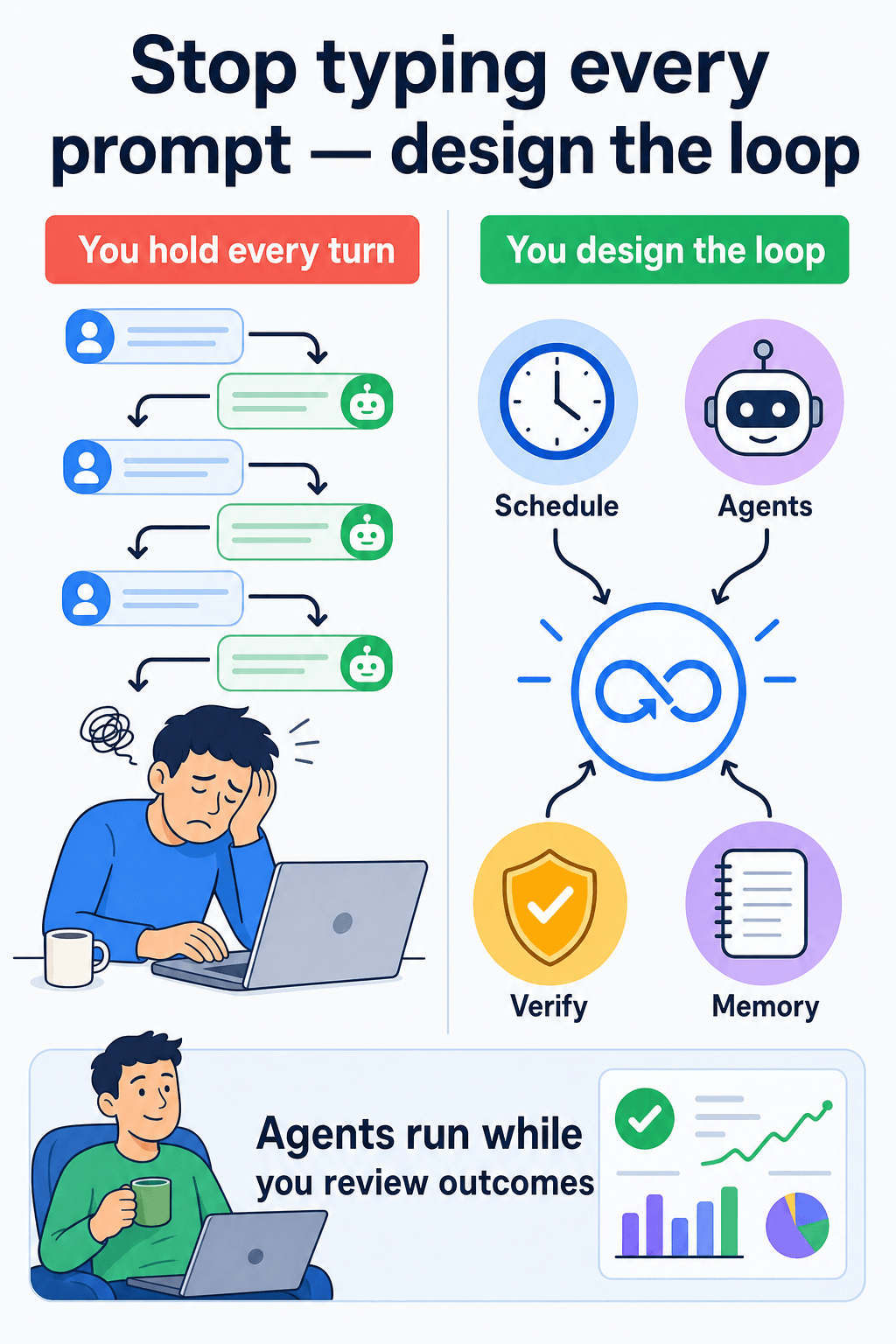
How this differs from “just run the agent again”
Cron plus a vague prompt is not loop engineering—it is an expensive way to repeat mistakes. A working loop needs:
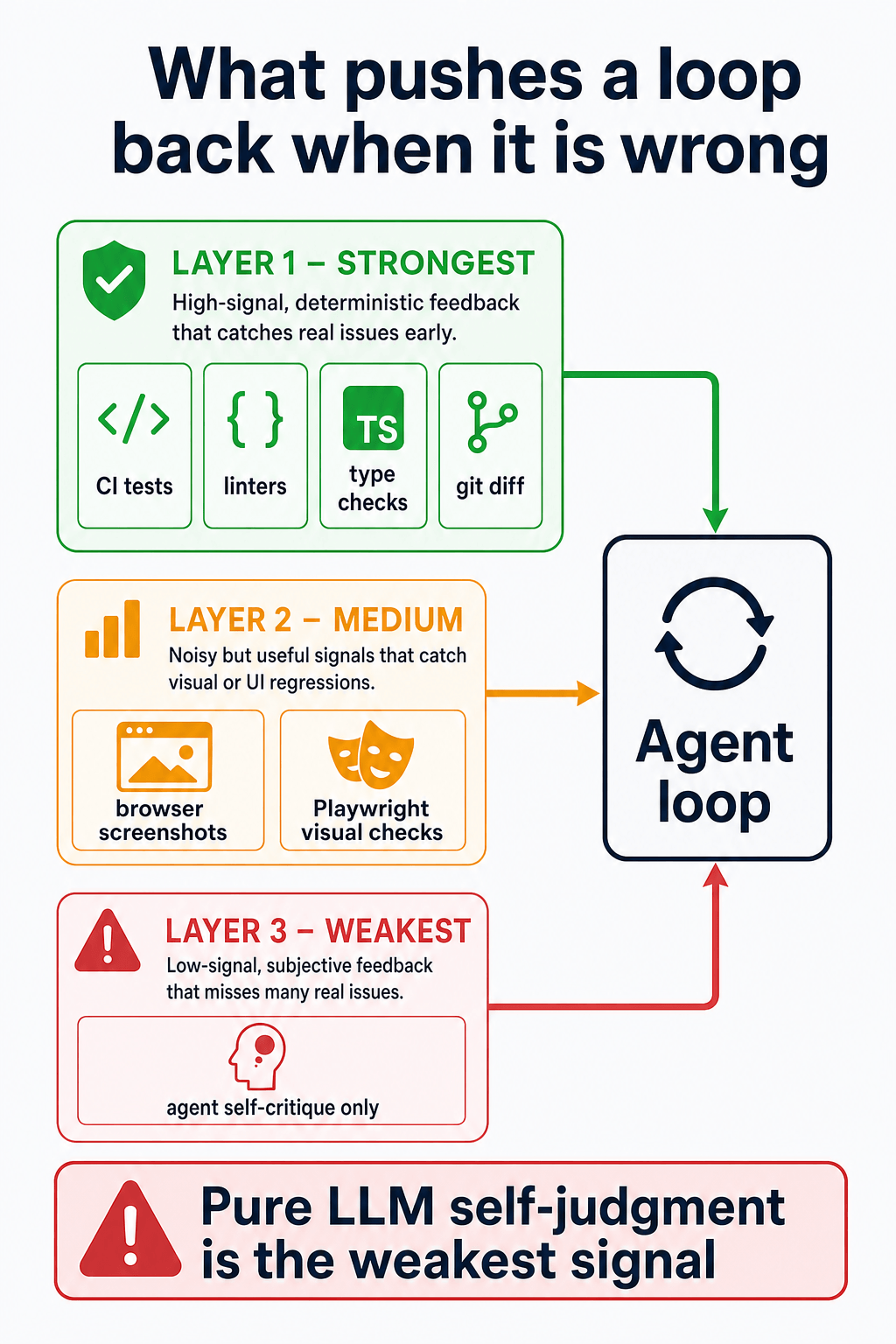
- A stop condition the model cannot grade for itself (tests green, linter clean, a checklist file updated, a human approval gate).
- Durable memory outside the context window (
STATUS.md, a JSON queue, an issue board). - Ideally a maker/checker split: one context proposes changes; another context—or a script—verifies them.
In practice, I treat self-critique (“looks good to me”) as a smell. Models are unreliable judges of their own output, especially on large diffs.
The six building blocks (five plus memory)
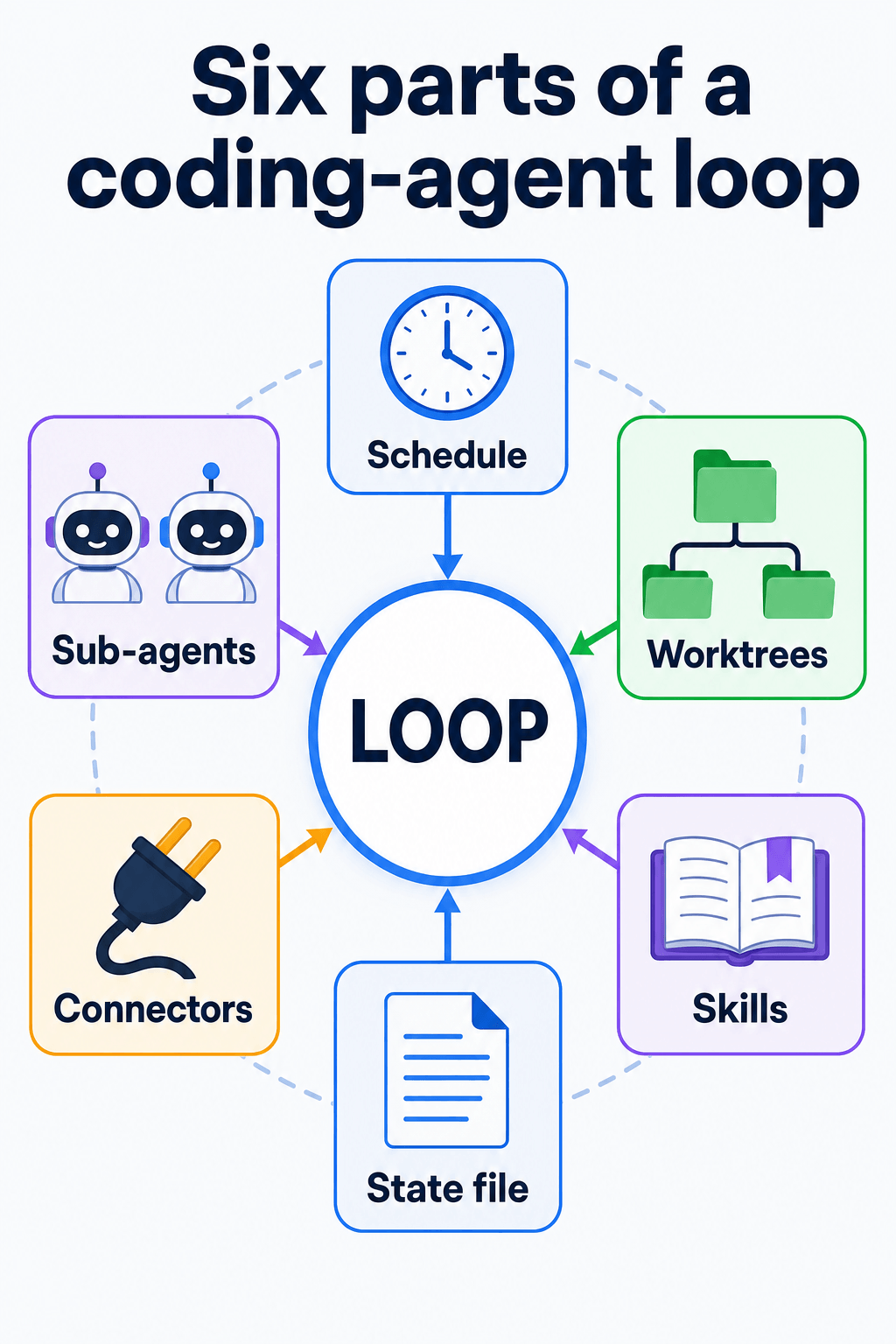
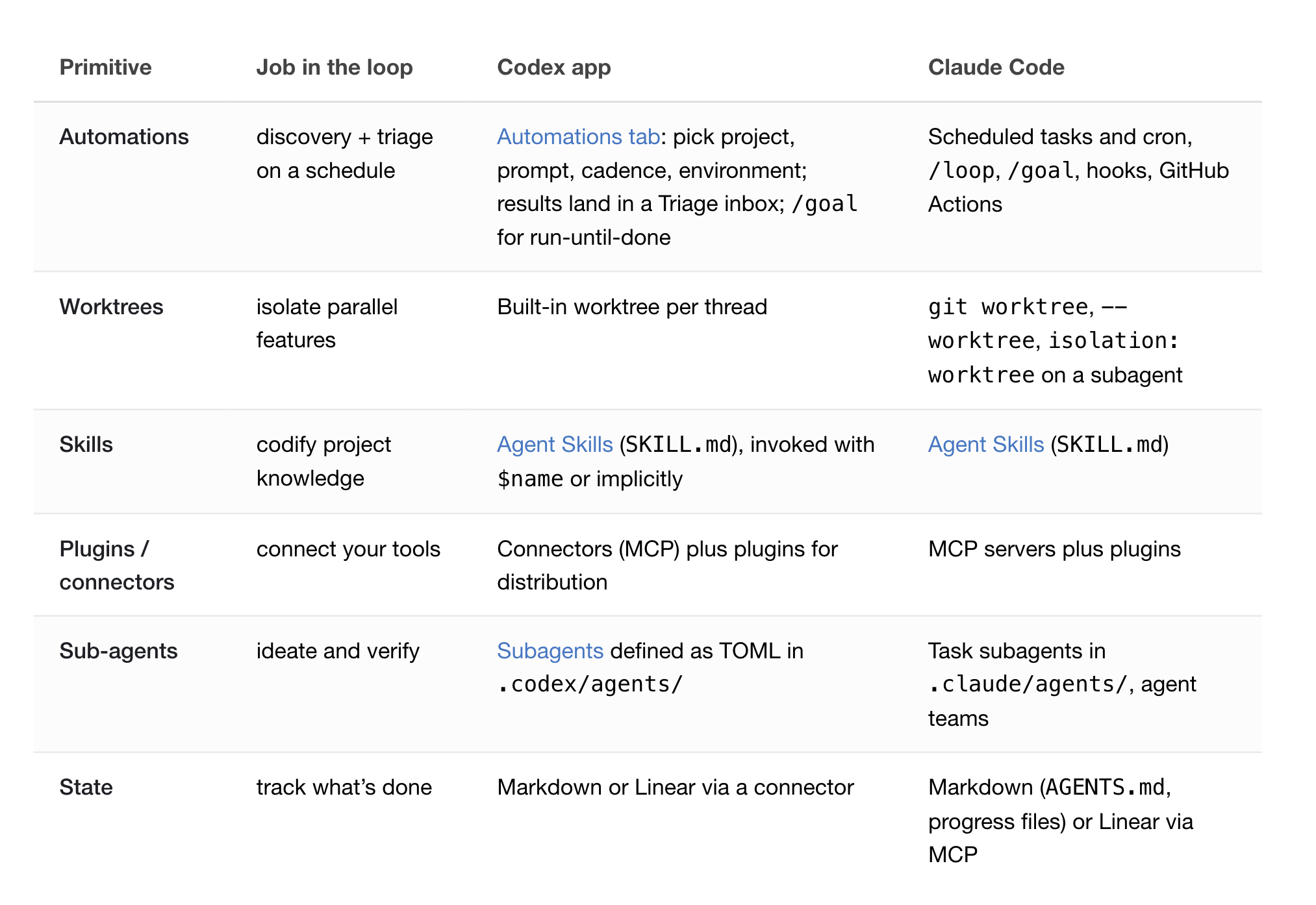
Most write-ups converge on the same primitives. Here is how I map them when I sketch a loop on paper.
1. Automations (the heartbeat)
Automations turn a one-off agent run into something that fires on a cadence or trigger. Examples:
- Claude Code:
/loopfor interval reruns, cron scheduling, lifecycle hooks, or GitHub Actions for headless runs. - OpenAI Codex app: Automations tab—pick project, prompt, schedule, local checkout vs background worktree; findings can land in a triage inbox.
I use automations for boring discovery: “Every weekday at 9am, scan yesterday’s CI and open issues; write a summary file; stop if nothing actionable.” Runs that find nothing should archive themselves. That keeps signal high.
2. Worktrees (parallelism without collisions)
If two agents edit the same branch, you get merge pain. Isolated git worktrees (or separate branches per task) let a loop spawn workers in parallel. I keep one worktree per sub-task and merge only after the checker passes.
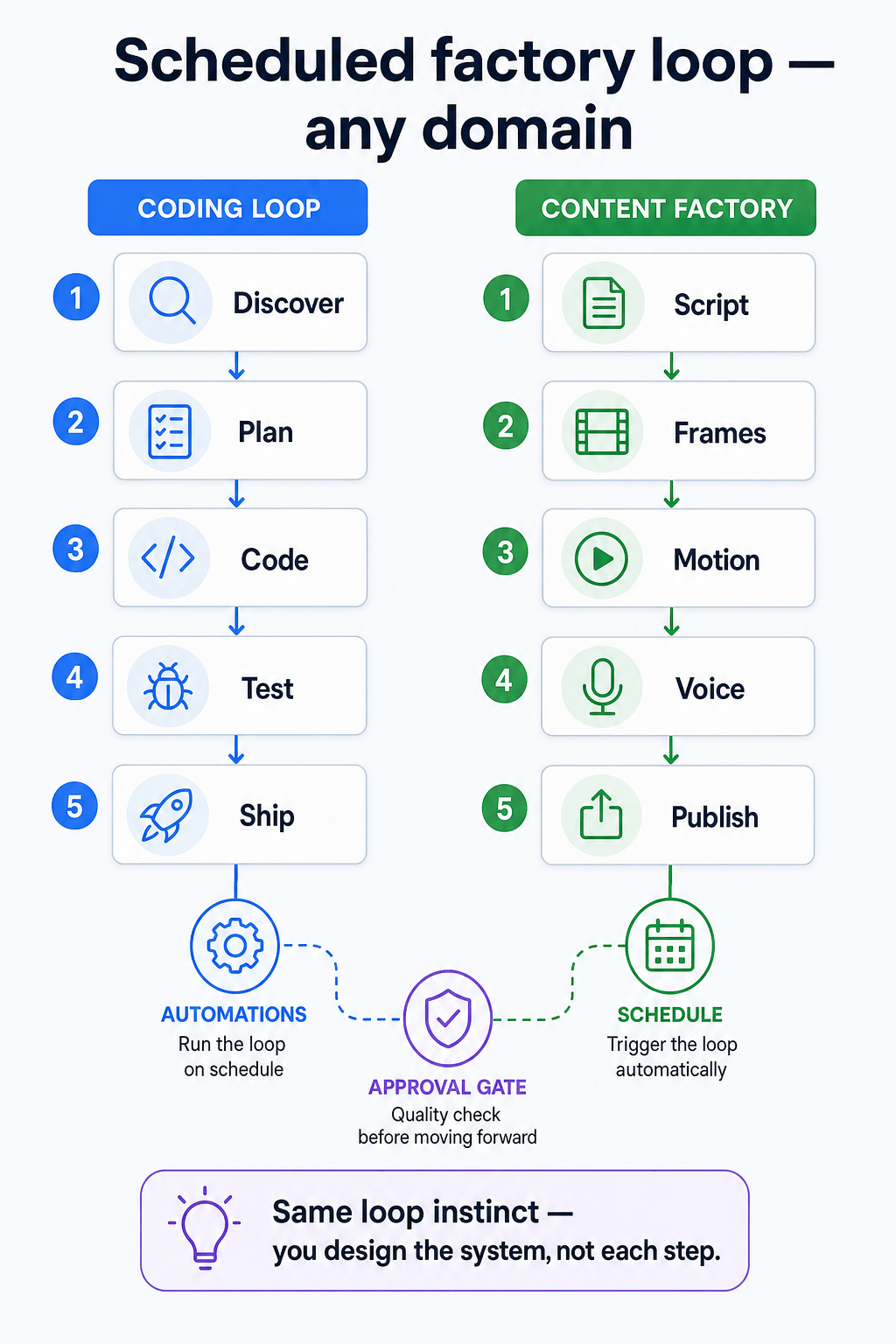
3. Skills (project knowledge on disk)
Skills are packaged instructions—often a SKILL.md or project rules—that tell the agent how this repo runs tests, formats code, and names branches. Without them, every loop iteration re-derives conventions from scratch and burns tokens.
As a builder, I invest once in skills and reference them from scheduled prompts ($skill-name in Codex-style setups) instead of pasting walls of text into cron jobs nobody maintains.
4. Connectors (MCP and APIs)
Loops that only touch local files are limited. Model Context Protocol (MCP) connectors let agents read issue trackers, post summaries to Slack, query databases, or open pull requests. Both major coding-agent stacks speak MCP in 2026; the loop designer’s job is to grant least privilege—read-only triage first, write access only where reversibility is clear.
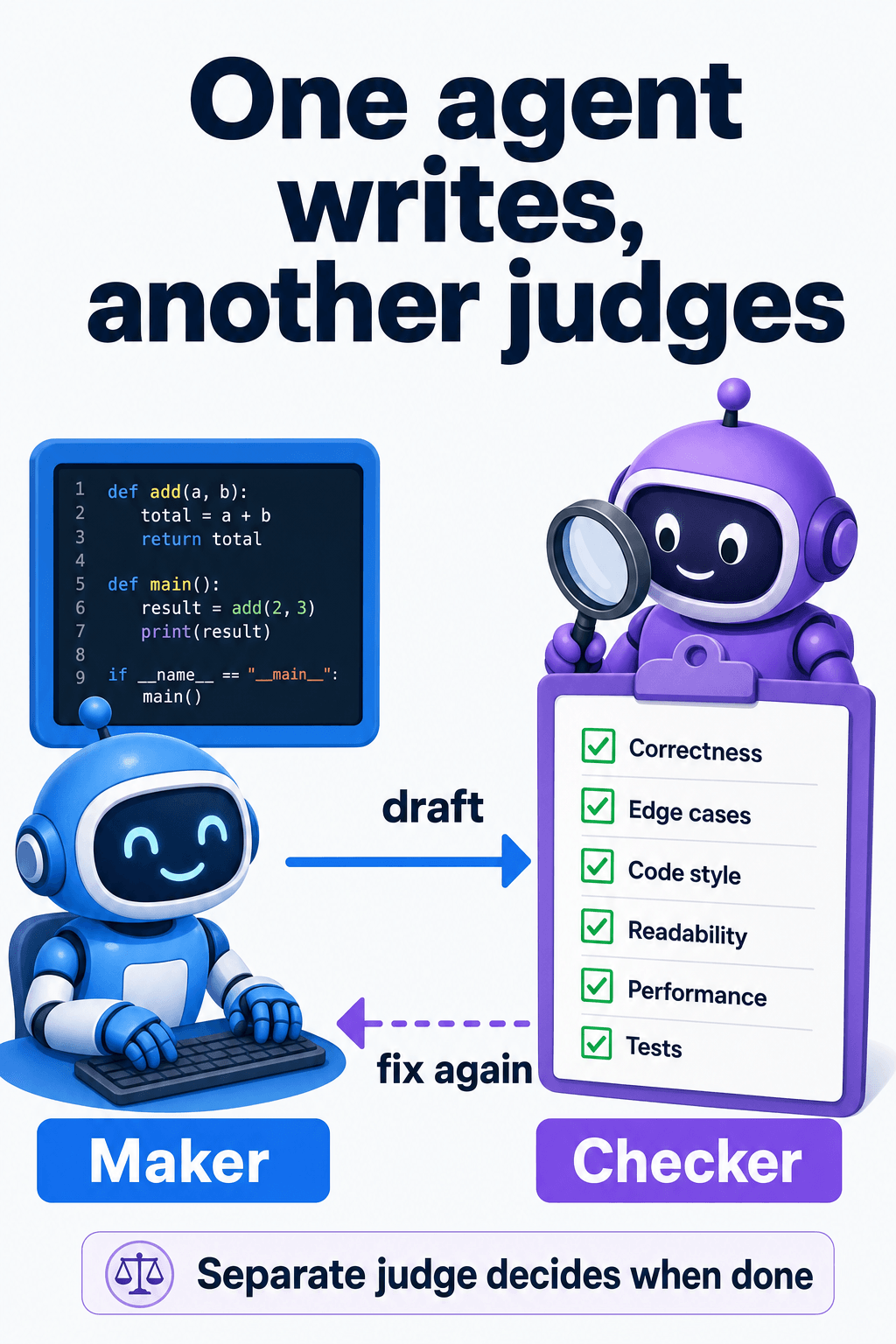
5. Sub-agents (maker and checker)
The highest-leverage pattern I have seen is separating implementation from verification:
- Sub-agent A drafts a fix in a worktree.
- Sub-agent B (or a smaller model, or a script) reviews against project skills and test output.
- The outer loop merges or rejects based on checker output, not the maker’s confidence.
Claude Code’s /goal flow echoes this: after each turn, a separate evaluator can judge whether the stated condition is met without running tools in the maker’s context. Codex exposes similar thread-scoped goals with explicit budgets.
6. Memory (state that survives amnesia)
The model forgets between runs. The repo should not. I use plain markdown checklists:
# STATUS.md
- [x] Fix flaky test in auth middleware
- [ ] Update OpenAPI spec for /v2/users
- [ ] Regenerate client SDK
Each loop iteration reads PLAN.md + STATUS.md, picks one unchecked item, implements it, runs tests, commits, updates the checkbox, exits. That pattern predates the buzzword—it is close to Geoffrey Huntley’s “Ralph” technique: same prompt, fresh context, progress lives on disk.
Four loop shapes worth knowing
| Type | Trigger | Best for |
|---|---|---|
| Heartbeat | Short interval (e.g. every 30 min) | Monitoring, queue draining |
| Cron | Fixed schedule (e.g. weekdays 9am) | Daily triage, weekly dependency reports |
| Hook | Event (push, CI failure, PR opened) | Reactive fixes with tight scope |
| Goal | Iterate until condition true | Migrations, test-suite repair, doc sync |
Personally, I start with cron + report-only before I let a loop touch production branches.

Tutorial: a minimal loop you can try this week
Below is a deliberately small loop I recommend for a first experiment. Scope: report only, no auto-merge.
Prerequisites: a git repo with CI, a coding agent CLI, and a test command you trust (npm test, pytest, etc.).
Step 1 — Write durable memory
Create docs/agent/PLAN.md:
# CI triage plan
Each run:
1. Read the latest CI failure log (or `gh run list --limit 5`).
2. Summarize failures in docs/agent/TRIAGE.md with file paths and error snippets.
3. If no failures in the last 24h, write "No action needed" and stop.
Do not edit source code in report-only mode.
Step 2 — Schedule discovery
- Claude Code:
/loop 24hwith a prompt that says “Follow docs/agent/PLAN.md exactly.” - Codex: create an Automation with the same prompt on a daily schedule; route output to triage inbox.
Step 3 — Add verification before you enable fixes
When summaries look accurate for a week, add a second phase: for each failure, open a worktree, implement a fix, run the test command, open a draft PR. Keep human merge until checker sub-agents or required CI checks prove reliable.
Step 4 — Define stop conditions in code, not prose
Bad: “Stop when the migration is complete.”
Good: “Stop when grep -c 'TODO-MIGRATE' src/ returns 0 and npm test exits 0.”
I encode stop rules in shell or CI where possible so the agent cannot reinterpret “done.”
Step 5 — Cap cost
Set token budgets, max iterations per day, and max parallel worktrees. Loop engineering multiplies good engineering and bad decisions. I log spend per automation and kill loops that churn without changing the verification signal.
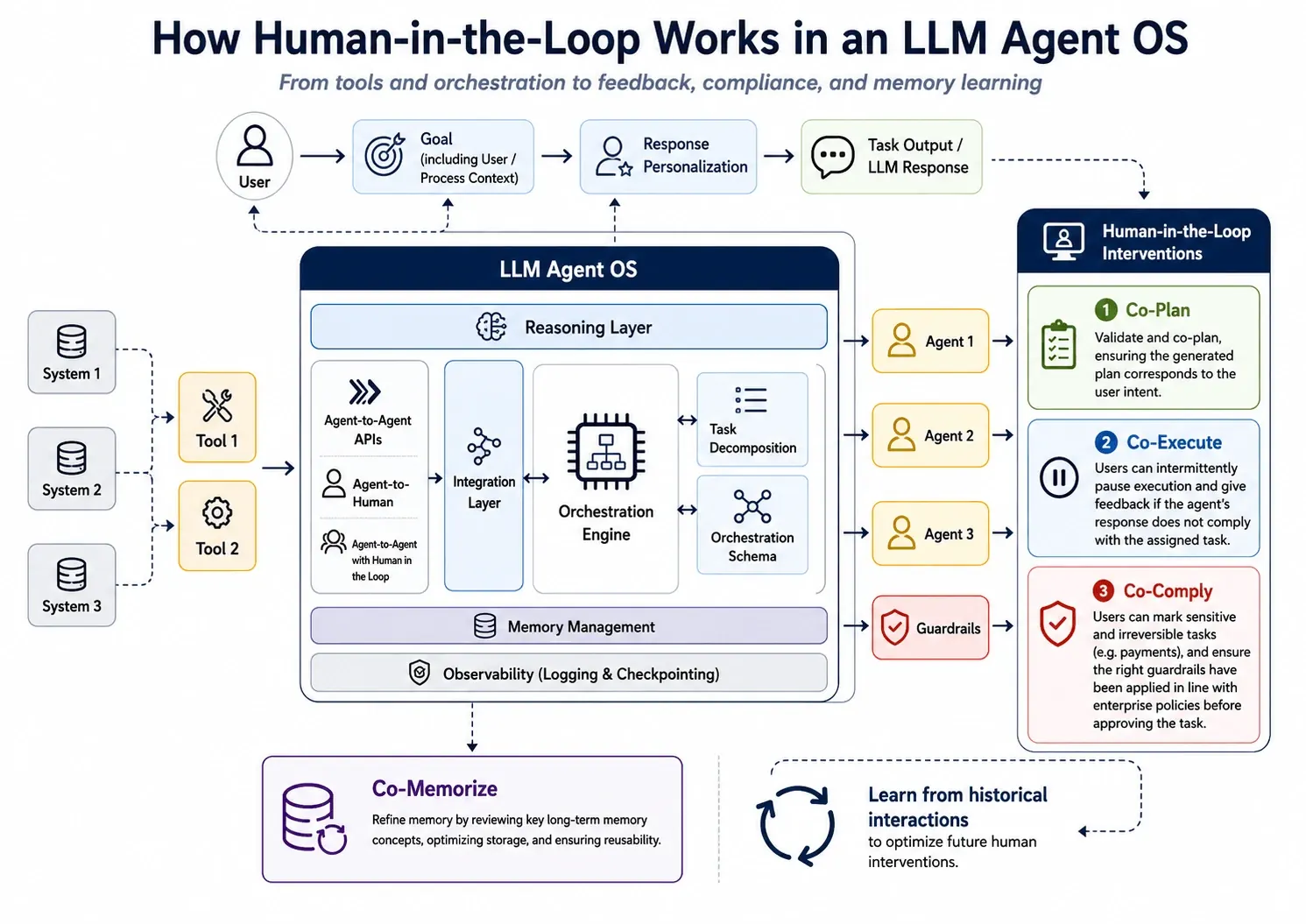
A maturity ladder (how I roll out loops safely)
- Report-only — Agent writes markdown summaries; you act manually.
- Draft-only — Agent opens PRs; you review every merge.
- Checker-gated — Sub-agent or CI must pass before you see the PR.
- Auto-merge narrow — Only for reversible, machine-verified tasks (formatting, lockfile updates) with rollback hooks.
I have not reached level 4 on anything business-critical. Most teams should stay at 1–2 until verification is boringly reliable.
When I do not build a loop
Skip loops when:
- Success is subjective (UX taste, architecture debates).
- Errors are expensive or irreversible (payments, prod schema without backups).
- You lack a test harness—the agent will “finish” anyway.
- The task is one-shot; setup cost exceeds manual work.
Loop engineering is leverage, not laziness. If I cannot write down what “done” means, I stay in the terminal and pair with the agent turn by turn.
Risks nobody should hand-wave
Token economics. A loop that runs overnight can burn a month of interactive budget. I watch cost per merged PR, not cost per run.
False completion. Agents declare victory on partial work. External tests and diff size limits are mandatory guardrails.
Context pollution. Long sessions degrade. Fresh context plus disk memory beats one heroic thread.
Security. Hooks and automations run with whatever credentials the agent has. I use read-only tokens for triage, separate credentials for write steps, and never store secrets in skill files.
Tooling churn. Flags and product names change. The architecture—schedule, worktree, skill, connector, checker, memory—is what I document in repo READMEs so the team is not locked to one vendor UI.
Bottom line
Loop engineering is the discipline of designing systems that drive coding agents: discover work, delegate with skills and worktrees, verify with independent signals, persist state on disk, repeat until a machine-checkable condition holds. It is real, it is early, and it rewards narrow scope more than ambition.
My advice after months of experiments: pick one repetitive task you already hate doing manually, write PLAN.md and STATUS.md, run report-only for a week, then add a checker before you add autonomy. The engineers who win here will not be the ones with the longest system prompts—they will be the ones with the clearest definition of “done.”
References
Sources I consulted while writing this tutorial. Link titles and summaries reflect the publishers’ pages at the time of publication. Diagrams and screenshots in the body are reproduced from those sources for illustration; rights remain with the respective publishers.
Diagram sources: figure 1 (Lushbinary); figures 2 and 12 (Mindber); figure 3 (Addy Osmani / Substack); figures 4–11 (Mervin Praison).
- Loop Engineering — Addy Osmani — Foundational essay on shifting from operator to loop architect; maps primitives to Claude Code and Codex.
- Loop Engineering — Addy Osmani (Elevate newsletter) — Expanded discussion of automations, worktrees, skills, MCP, and sub-agents.
- Loop Engineering: The Guide for AI Agents — Lushbinary — Long-form guide covering Ralph technique, stop conditions, and maturity adoption.
- Loop Engineering: Designing the System That Drives the Agent — Saulius — Architecture diagrams and emphasis on independent verification.
- Loop Engineering: Why Top Engineers Stopped Prompting Their AI — Mindber — De-hyped overview and criteria for when loops are worth building.
- Loop Engineering: How to Build AI Agent Loops That Run Themselves — Requesty — Taxonomy of heartbeat, cron, hook, and goal loop types.
- Loop Engineering: Design Coding-Agent Systems Instead of Prompting Every Turn — Mervin Praison — Comparison of harness engineering, loop engineering, and orchestration layers.
Comments
Sign in to join the discussion and leave a comment.
Sign in with Google