I’ve really come to realize that writing code isn’t the hard part anymore; the real challenge is setting up all these deployment services!!
These words come from Karpasi.
Yes, this star figure in the AI coding world has started publicly complaining about one thing: code is no longer the bottleneck for AI programming; deployment is.
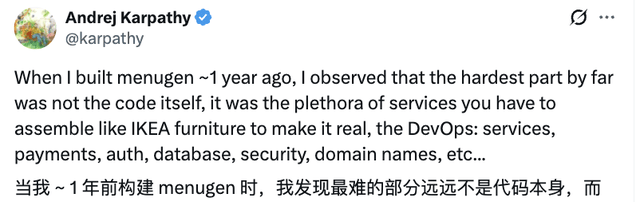
More importantly, Karpasi directly pinpointed the issue:
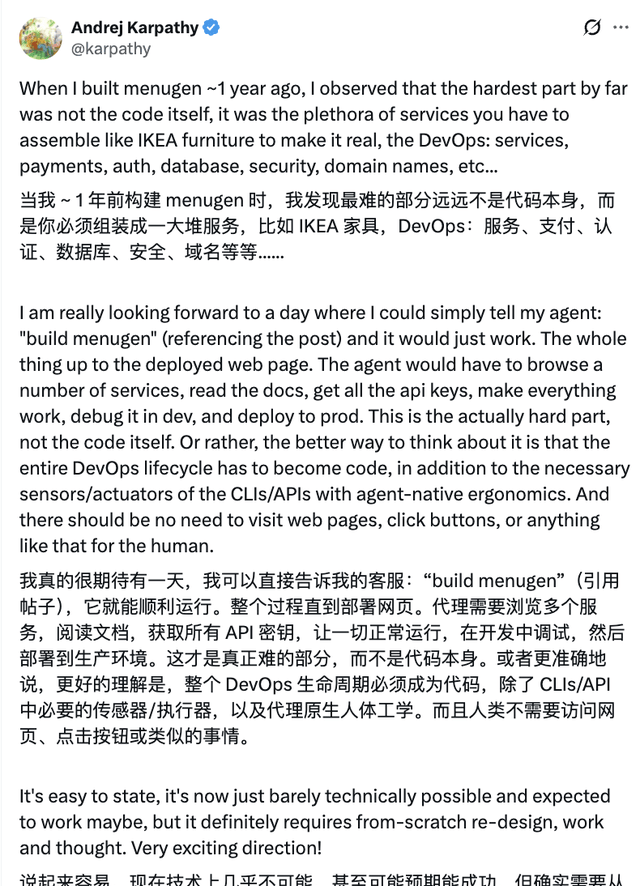
The development process for all application products should become something that can be invoked directly by code, ideally with no manual configuration required from humans!
Following Karpasi’s remarks, developers in the comments section vented their frustrations, sharing various deployment pitfalls they’ve encountered with AI programming:

The difficulties of deploying AI-generated code have clearly become a widely recognized major problem for programmers.
Karpasi: Application Development? Deployment is Extremely Hard!
Mainly, Karpasi was still traumatized by a past application development experience…
This story goes back to last year when he used AI to build a “menu image generator” product called MenuGen.
The motivation for creating this product was simple: Karpasi often went to restaurants and saw text-only menus, leaving him unsure of what the dishes actually looked like.
He wanted to enjoy his meal in peace, but instead found himself wasting time searching Google for menu item names, which drove him crazy.
(So he simply built one using AI himself.)
To be fair, judging by the product’s output below, it worked quite well: you input the menu text, and it generates a menu with food images—

The product effect was indeed impressive, but the entire development process left Karpasi with some trauma. (doge emoji)
During the MenuGen project phase, he hardly had to worry about writing code himself; the entire project was basically assembled using Cursor + Claude.
He simply fed the application requirements into Claude 3.7, which quickly wrote all the React frontend components. The speed was absurdly fast and went very smoothly~
At this stage, naive Karpasi assumed that 80% of the development progress had been completed, but reality slapped him in the face at light speed—
When he truly entered the deployment phase, he realized one thing: what he had just done might not even count as 20% completion. (Heaven is falling!)

Troubles began.
In the subsequent deployment phase, Karpasi’s first step was to call the OpenAI API for OCR recognition, starting with securing an API key.
However, just finding the project in the backend and configuring permissions took a huge detour. Claude kept providing outdated APIs, model names, and invocation methods, leading to repeated pitfalls. He had to constantly refer to the documentation to fix things bit by bit.
After finally getting one call to work, he immediately hit severe rate-limiting issues—only a handful of requests could be made every 10 minutes…
Next, problems began to pile up like demons haunting him:
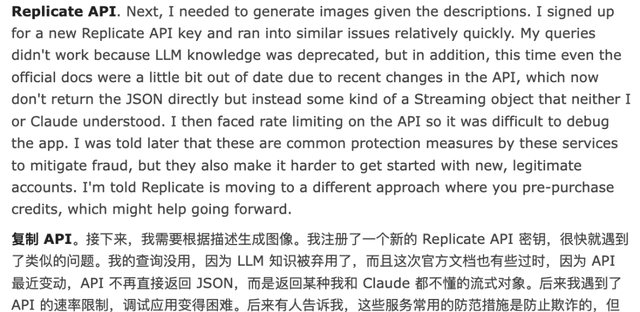
Karpasi wanted image generation, so he registered another Replicate API key, only to fall into almost the exact same pit again;
The invocation methods provided by LLMs were still outdated, documentation hadn’t fully caught up with updates, and APIs no longer returned JSON but switched to a streaming object format that neither he nor Claude could understand.
After finally aligning the interfaces, he hit rate limits again, making debugging almost impossible…
The launch phase was even more absurd. Issues arose consecutively during account registration and GitHub connection configurations.
Logs were full of linting errors that didn’t exist locally. After painstakingly fixing these issues, the website still wouldn’t open.
Karpasi consulted Claude, then ChatGPT, and began to suspect he had misunderstood a step somewhere. After nearly an hour of troubleshooting, he discovered a very basic error:
The API key was written in .env.local, but this file is not committed to version control by default. So Karpasi manually went into the Vercel backend and entered the environment variables one by one.
Guess what? Vercel directly generated a public link that could be accessed, but since the project was still a private repository, it wasn’t even ready for external display.
The product… had been accidentally launched.

Problems continued after launch: authentication, payments, domains, OAuth. He had to configure multiple platforms back and forth, leaving Karpasi completely exhausted by the process.
As everyone could see, while the product itself was quite good, the bitter struggles behind deployment configurations were very real…
Reflecting on this bumpy menu project journey, Karpasi couldn’t help but summarize:
Running demos locally with vibe coding is indeed enjoyable; but once it becomes a real application to launch, the entire process becomes extremely painful!!!
Therefore, he drew a conclusion—
It is indeed possible for someone with almost no web development background to build an application from scratch using vibe coding. It can be done, and it’s much faster than before; code is hardly the issue anymore.
But the problem arises when it comes to deployment, connecting services, and configuring environments, where progress frequently stalls and the experience collapses completely. The issue isn’t with AI, but with the toolchain.
These deployment tools were originally designed for professional developers. Now that a single person paired with AI wants to run the entire workflow, bottlenecks are inevitable at the engineering pipeline stage.
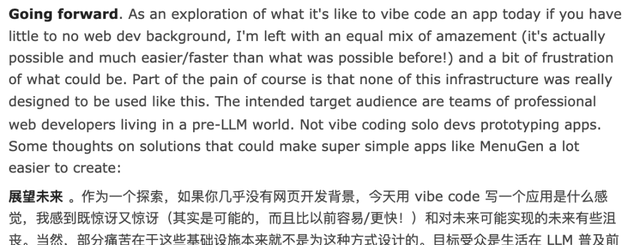
From this bumpy development experience, Karpasi derived some lessons and suggestions. In his view:
- Integrated platforms are crucial. Ideally, there should be products that package the entire deployment capability, allowing users to “open box and use” directly. (Agreed!)
- Current market development tools seem designed more for AI than for humans. The best approach is likely to let AI call and configure things itself.
- Rather than building complex configuration framework processes, simpler architectures are more efficient. Basic frontend + simple backend is actually better suited for rapid application development.
He believes that many applications don’t need to be built as complete products in the traditional sense. Applications shouldn’t be piled up from code; they should be generated with a single sentence.
Even though over a year has passed, Karpasi still feels emotional when talking about this project, saying:
The Second Half of AI Programming Begins to Compete on “Deployment Automation”
As the old saying goes, where there is a problem, there is a solution.
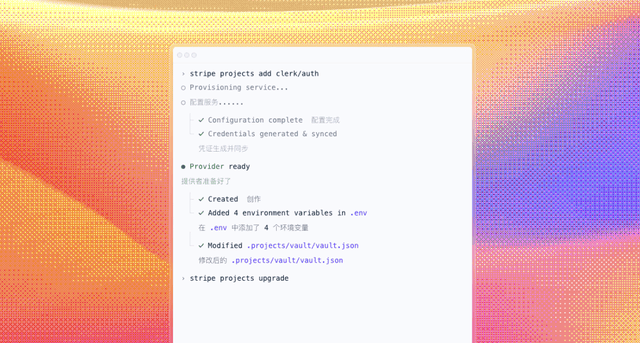
Karpasi’s sudden reflection on AI programming deployment was actually triggered by his sharing of a product attempting to fill this gap: Stripe Projects.
This product comes from Patrick Collison, co-founder and CEO of payment infrastructure company Stripe, and his team.
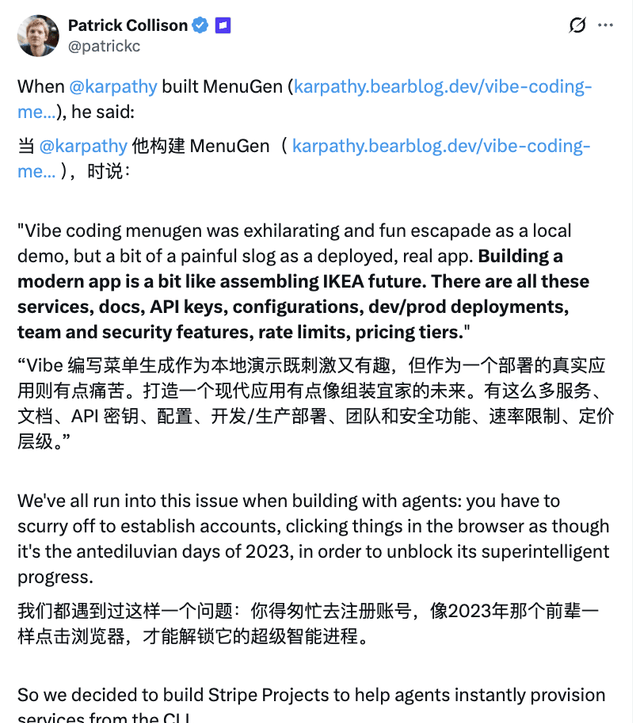
What Stripe Projects aims to do is—
Through a unified development infrastructure entry point, allow developers or AI agents to handle troublesome tasks like account registration, hosting, authentication, and billing with just a few commands.
This aligns perfectly with Karpasi’s ideal vision for AI programming.
In fact, in recent years, besides Stripe Projects, other products optimizing the AI programming deployment process have gradually emerged.
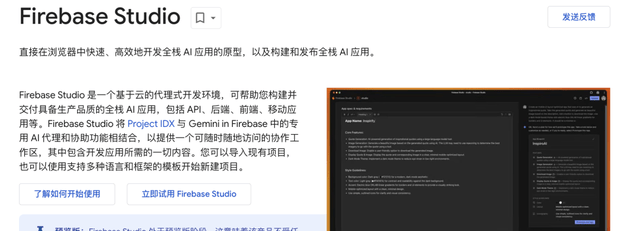
For example—Firebase Studio.
Officially described as a tool that uses AI Agents to prototype, develop, test, iterate, and publish full-stack AI applications. Essentially, it tries to consolidate writing code, configuring backends, and launching into a single workspace.
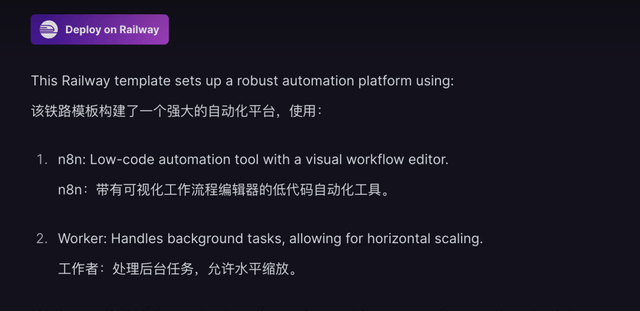
Another example is—Railway.
It also emphasizes an “open box and use” approach. It can already automatically connect multi-service templates and even link services together via environment variables, reducing the need for manual user configuration~
Looking at this, one can only say that AI programming is indeed somewhat surreal right now.
On one side, Claude and Cursor generate frontend pages in minutes; on the other, API keys and various configuration hurdles deliver a series of blows, instantly bringing people back to reality.
Moreover, the most intuitive example from the past few months has been—OpenClaw.
To get an AI lobster to build a development website, you first have to constantly debug that bug-prone system,

and set up APIs and other tedious configurations.
If the project requires 24-hour operation, problems may multiply: if the terminal disconnects, the page crashes, forcing you to repeat the cycle of patching and fixing…
So, Karpasi’s rant resonates with netizens for good reason…
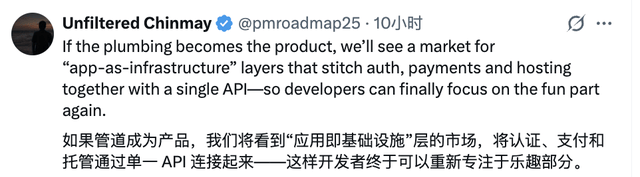
Anyway, let us eagerly anticipate the emergence of more, better, and easier-to-use products.
Perhaps one day will come when we won’t even need to write prompts, achieving everything in one step via brain-computer interfaces??? (doge emoji)
What are your thoughts? Feel free to chat in the comments~
References
- Vibe coding MenuGen — Work log of vibe coding menugen app
- MenuGen - AI Menu Image Generator — Upload a menu and get AI-generated images for each dish
- firebase.google — firebase.google.com/